Story Ideas for gamers – ideas and examples you can post today
Introduction
Gaming stories are most fun when they capture the moments players actually remember: the boss finally beaten, the puzzle solved after an hour, the co-op chaos, the beautiful world explored slowly, and the snack break that saved the session.
The ideas below are for gamers creating their own public stories about games they play. They focus on your own gameplay, reactions, and tips, without sharing other players' private details, account information, or chat messages. Keep stories friendly, spoiler-free where it matters, and welcoming to players of all skill levels.
Pick one idea, capture it in your own words, and share the part of gaming you enjoy most.
1. A boss battle diary

Tell the story of one boss fight in three slides: preparation, the hardest moment, and the victory or the lesson learned. For example: "Loadout ready, potions stocked, confidence high," then, "Third attempt, health nearly gone, hands shaking," then, "Finally beaten. I dodged left, not right, and it changed everything."
If you lose, post that too: "Lost again, but learned the attack pattern. Next time." Honest defeats are often more relatable than easy wins.
2. A beginner tip from your own play
Share one tip you wish you had known when you started a game. It could be saving often, exploring side paths, upgrading one weapon fully, or learning to dodge before attacking. Show a short clip of the tip in action, with a caption such as, "Save before every big door. Trust me on this one."
Keep the tip specific and practical, not a long guide. One idea per story helps viewers remember it and try it in their next session.
You can also ask viewers for their tips: "What is the first thing you tell a new player?" Their answers often become your next story, and they help beginners feel welcome.
3. A beautiful world tour

Slow down and show a game world as if you were a traveller. Film a sunset over a digital valley, a quiet village street, a detailed castle interior, or rain falling on a forest path. Add a simple caption: "No quest today, just walking and looking."
Avoid long, shaky recordings. Short, steady clips with one clear view each will show the world far better than a rushed tour of everything at once.
4. A co-op chaos story
Share a funny co-op moment with friends, with their permission and without revealing their real names, usernames, or private messages. For example: "We planned a careful stealth mission. My friend opened every door. Chaos followed, and we laughed for ten minutes."
Focus on the humour and teamwork, not on blaming anyone. Co-op stories show gaming as a social hobby, full of shared jokes, failed plans, and unexpected saves.
If a friend prefers not to be filmed or quoted, respect that completely. You can still tell the story from your own point of view, using your character, your screen, and your reaction.
5. A setup or comfort story
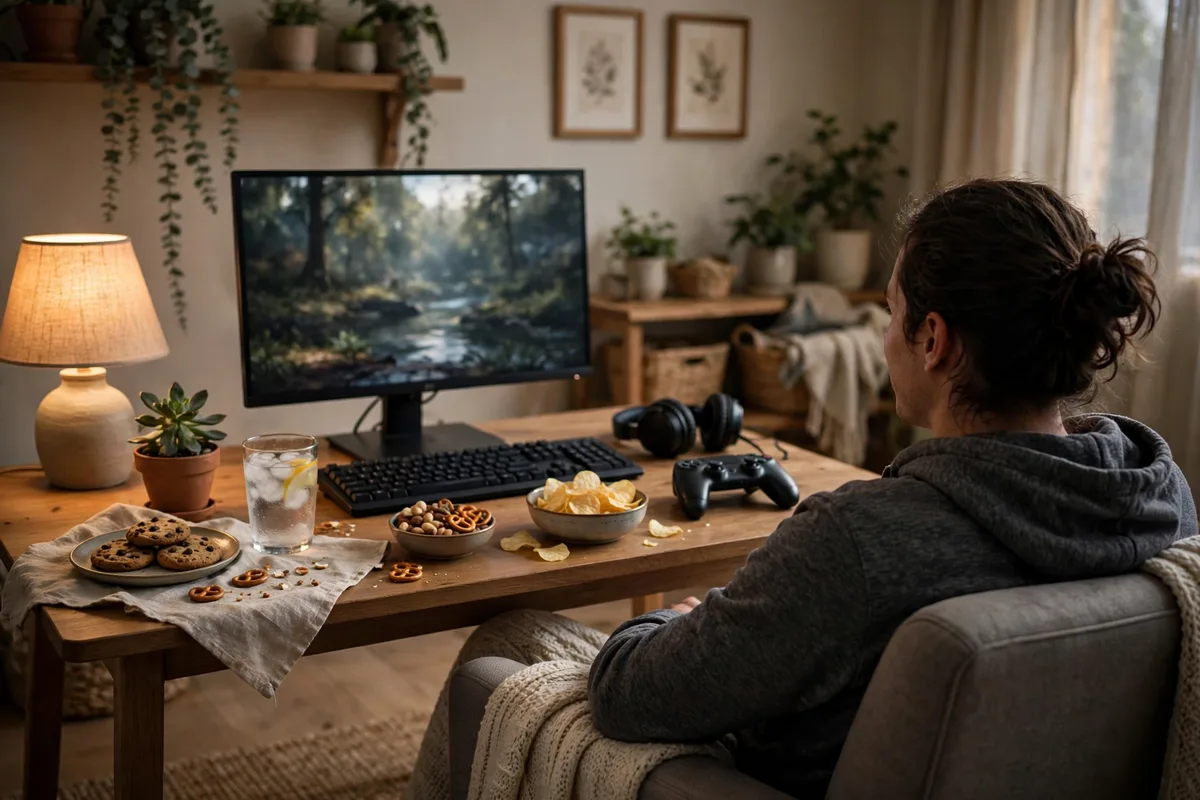
Show your gaming space as you actually use it: a tidy desk, a comfortable chair, a favourite controller, good lighting, and a drink nearby. Caption it: "Tonight's setup: cosy chair, warm drink, and a game I have been saving all week."
You can also share comfort habits that help long sessions, such as taking breaks, stretching between matches, drinking water, and stopping when tired. For example: "Break after every hour. Stretch, snack, then back to the quest."
6. A game-night poll or challenge
Invite viewers to choose your next move. Post a poll: "New world or finish the side quests first?" Or: "Stealth approach or all-out action tonight?" You can also set a friendly challenge: "Can I finish this puzzle without hints?"
Polls and challenges turn viewers into participants, not just watchers. Share the result in your next story: "You chose side quests, and one of them gave me the best item yet."
Keep challenges light and fun. Avoid difficult, frustrating, or unsafe challenges, and celebrate viewers who join in, whatever the outcome of the game.
Posting checklist
- Share your own gameplay, reactions, and tips in short clips.
- Warn about spoilers before posting story-heavy game moments.
- Get friends' permission before sharing co-op stories or voices.
- Leave out real names, usernames, account details, and private messages.
- Keep tips to one clear, practical idea per story.
- Include breaks, stretching, and water in longer gaming sessions.
- Write captions in your own words and keep the tone welcoming.
Frequently asked questions
Can I post gameplay clips in my stories?
Yes, if you share your own gameplay and keep clips short. Avoid long recordings of cutscenes or other people's content, and focus on your play, reactions, and original commentary.
How do I avoid spoilers in gaming stories?
Warn viewers before story moments, focus on gameplay and feelings rather than plot twists, and save detailed story discussion for posts where viewers expect spoilers. A simple warning protects everyone's enjoyment.
What if I am not good at a game?
That is part of the fun. Beginner tips, funny failures, and slow progress are relatable and encouraging. Viewers often prefer honest players to perfect ones, especially when the tone stays kind.
How often should gamers post stories?
A few times a week works well, such as a boss diary, a world tour, and a poll. Regular short stories beat long daily sessions that leave you tired and viewers overwhelmed.
Closing
Gaming stories shine when they capture play, not perfection. A boss diary, a beginner tip, a beautiful world tour, or a co-op laugh can all remind viewers why games are worth playing together.
Start with the game you are enjoying today, share one honest moment from it, and invite viewers to choose your next step. Kept friendly, spoiler-aware, and original, those stories will build a small community that plays, laughs, and explores alongside you.
Related posts in this series
- Story Ideas for photographers – ideas and examples you can post today
- Story Ideas for minimalists – ideas and examples you can post today